ChatGPT App for Stock Fundamentals and SEC Data
The StockFit app is live in ChatGPT: ask about earnings, financial statements, insider trades, and ETF holdings, all answered from SEC EDGAR filings.
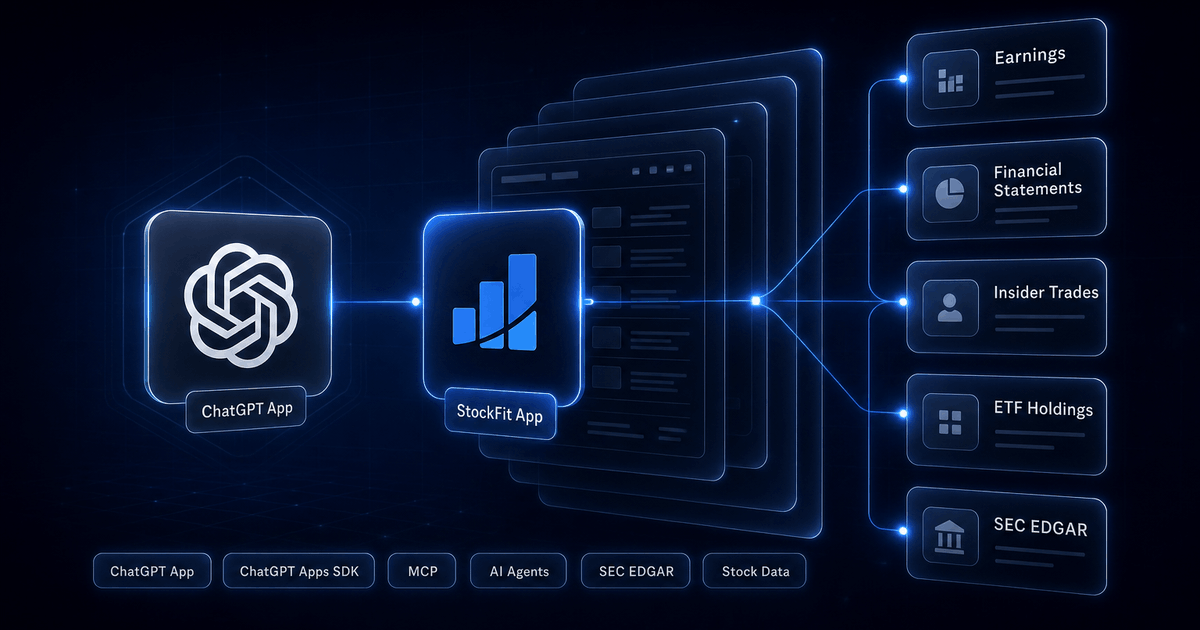
StockFit is now a ChatGPT app. You can add it inside ChatGPT, sign up for a free account in the same window, and start asking about any US-listed stock or ETF in seconds. Every answer is built from data parsed straight out of SEC EDGAR filings, so the numbers ChatGPT gives you trace back to a real 10-K, 10-Q, 8-K, or Form 4.
This post covers what the StockFit ChatGPT app is, how to add it, what you can ask it, where the data comes from, and how the free tier and paid plans work. If you already use StockFit as an API or as a Model Context Protocol (MCP) server in Claude or Cursor, the short version is: it is the same data and the same account, now reachable from inside ChatGPT.
What the StockFit ChatGPT app is
The StockFit ChatGPT app puts a financial-data layer inside your ChatGPT conversations. Once it is added, you can ask questions about a company or fund in plain language and ChatGPT calls StockFit behind the scenes to fetch the answer: income statements, balance sheets, cash flow, earnings history, insider transactions, institutional ownership, ETF holdings, executive compensation, and the underlying SEC filings themselves.
It is not a separate chatbot and not a browser tab you have to leave ChatGPT for. It is an app that lives in the conversation. You ask, ChatGPT pulls the data from StockFit, and the reply is grounded in numbers from filings rather than a guess from training data.
You can open the app directly here: StockFit on ChatGPT.
How to add StockFit to ChatGPT
Setup takes about a minute and there is nothing to install. The app handles the StockFit account for you through a standard sign-in flow.
- Open the StockFit app in ChatGPT. Use the direct app link, or find StockFit in the ChatGPT apps directory.
- Add the app. ChatGPT adds StockFit to your account so it is available in any conversation.
- Sign in to StockFit. The first time the app is used it opens a quick sign-in. If you do not have a StockFit account yet, one is created for you. No credit card, and you land on the free tier by default.
- Ask your first question. Type a question about any ticker and ChatGPT calls StockFit to answer it.
That is the whole setup. There is no API key to copy, because the sign-in flow connects the app to your StockFit account directly.
What you can ask the StockFit ChatGPT app
Ask in normal language. ChatGPT decides which StockFit data to pull and stitches it into the reply. A few examples to start with:
"How did NVIDIA's revenue and operating margin trend over the last five years?"
"Show me Costco's latest balance sheet."
"Which S&P 500 insiders bought their own stock last month?"
"What does SPY hold, and how concentrated is the top 10?"
"When is Apple's next earnings report?"
"Summarize the risk factors in Microsoft's most recent 10-K."
"Compare gross margins for AMD and Intel."
"Who are the largest institutional holders of Tesla?"
Under each of those questions is a structured StockFit dataset. Financial-statement questions map to endpoints like /api/financials/income-statement and /api/financials/balance-sheet. Earnings questions map to /api/earnings/snapshot and the earnings calendar. Ownership questions map to /api/insider-transactions for Form 4 activity and the 13F institutional-holdings endpoints. ETF questions map to /api/fund/holdings and the rest of the fund tools. For a business overview rather than raw numbers, there is /api/company/research-summary. You do not need to know any of these endpoint names to use the app; ChatGPT picks them. They are listed here so you can see exactly what each answer is built from.
If you want a primer on the kind of analysis these questions feed into, the fundamental stock analysis guide walks through how investors actually use this data, and the SEC forms field guide explains which filing each number originates from.
Why every answer traces back to a SEC filing
The reason to use a data app inside ChatGPT instead of asking the model directly is accuracy. A language model on its own will happily produce a revenue figure that looks right and is wrong. StockFit removes that failure mode: it does not generate numbers, it reads them out of filings.
Every value StockFit returns is parsed from raw XBRL, XML, or SGML on SEC EDGAR. There are no third-party aggregators in the path and no normalized or adjusted metrics that quietly paper over the source. When the StockFit app tells you a company's FY2025 revenue, that number came out of the income statement in that company's 10-K.
That sourcing also means the data is point-in-time correct. StockFit keeps the original filing date and a per-amendment audit trail for every fact, which matters if you ever move from asking questions in ChatGPT to backtesting a strategy against the API. The point-in-time fundamentals guide covers that data model in detail.
Free by default, upgrade whenever you want
Adding the StockFit ChatGPT app puts you on the free tier. No credit card, no trial countdown. The free tier covers core company lookups, financial statements, earnings history, and SEC filing access, which is enough to answer most everyday questions about a stock.
When you want more, paid plans unlock the heavier data: the full earnings calendar, multi-year trends, insider transactions, institutional and beneficial ownership, executive compensation, and the ETF analytics tools. The plans are Starter ($15/mo), Stock ($39/mo), ETF ($39/mo), and Professional ($69/mo), with annual billing available.
Upgrading happens on your StockFit account on the website, not inside ChatGPT. Sign in at developer.stockfit.io/pricing, pick a plan, and the new tier applies to the same account the moment it is active. The ChatGPT app picks up the change automatically on its next call, because it filters available tools by your plan server-side. There is nothing to reconfigure in ChatGPT.
Under the hood: the same MCP server
For the developer-minded reader: the StockFit ChatGPT app is built on the Model Context Protocol (MCP). It is the same StockFit MCP server that already works in Claude, Cursor, and VS Code, packaged for the ChatGPT Apps SDK. Every StockFit REST endpoint is registered as an MCP tool, and one StockFit account works across all of them.
So if you connect StockFit to Claude or Cursor as well, you are not setting up a second product or a second subscription. It is one account, one tier, one set of tools, reachable from whichever AI client you happen to be in. Setup for the other clients is documented on the MCP and AI agents page.
And if you want to drop down a level and call the data directly from code, the earnings API walkthrough shows the cURL and Node.js shape of the same endpoints the ChatGPT app uses.
FAQ
Q.What is the StockFit ChatGPT app?
Q.How do I add StockFit to ChatGPT?
Q.Is the StockFit ChatGPT app free?
Q.What can I ask the StockFit app in ChatGPT?
Q.Where does the StockFit ChatGPT app get its data?
Q.How do I upgrade to a paid StockFit plan?
Q.Does the StockFit ChatGPT app work with Claude, Cursor, and other AI tools?
Ready to build?
Free API key, no credit card.